What is a website audit? A complete guide (with a free audit tool)
What a website audit covers, how the different kinds of audit differ, what a useful report contains, and how to run your first audit for free.
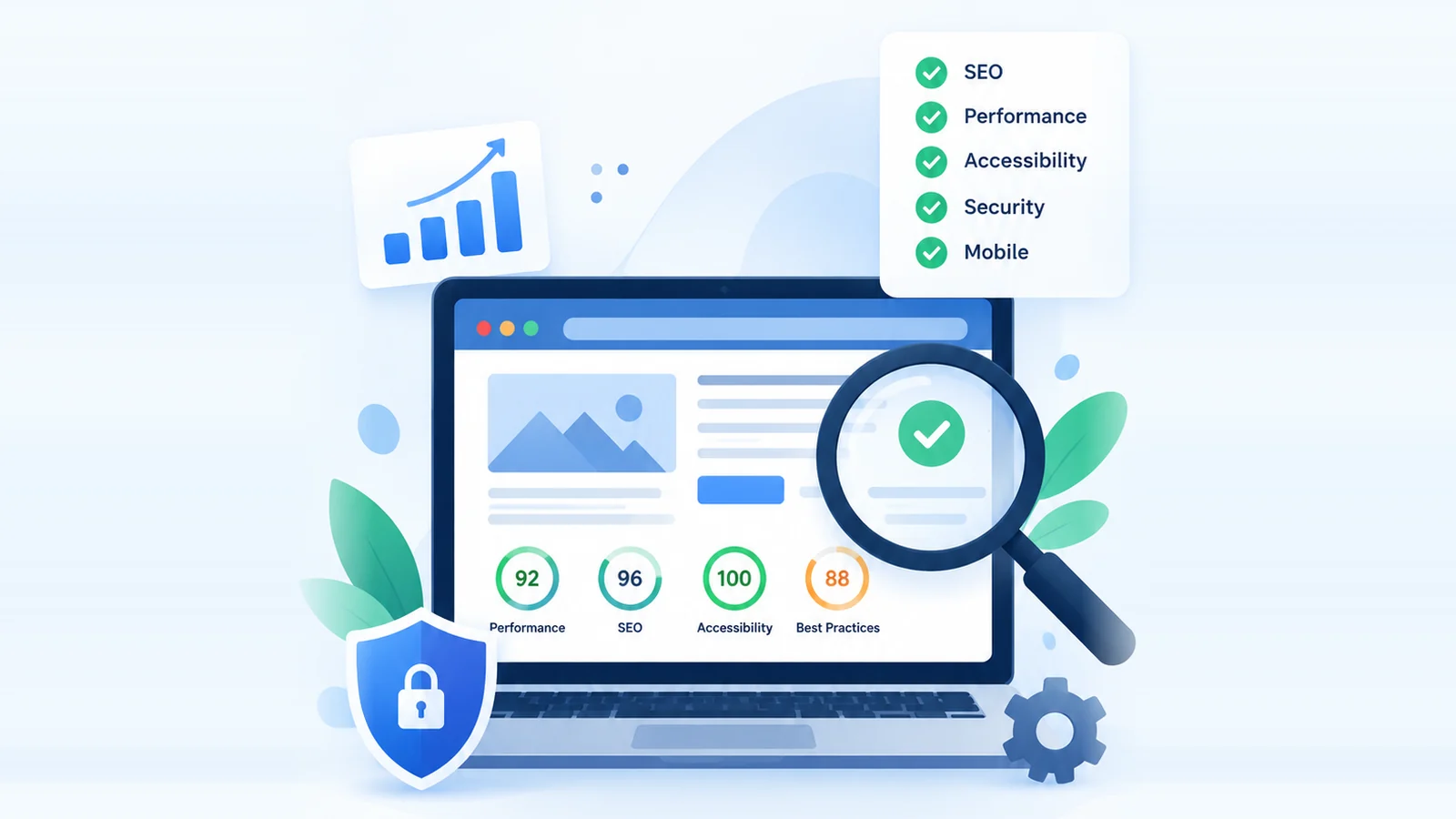
A website audit is a structured review of a website's technical health. It checks whether search engines can crawl and index your pages, how quickly those pages load, whether people with disabilities can use them, and whether the site is configured securely. The result is a list of issues, ranked by priority, with a recommended fix for each.
This guide explains what a website audit covers, how the different types of audit differ, what a useful audit report contains, and how to run your first one free.
Why a website audit matters
Websites change all the time. Content is added, plugins and themes are updated, and templates are edited by different people. Small problems build up quietly, and most of them never announce themselves: a page can drop out of Google's index, or a form can break on one browser, without anyone noticing.
A regular audit makes these problems visible. It helps with:
- Search visibility. An accidental
noindex, a wrong canonical tag or a broken internal link can stop pages from being crawled or indexed properly. - Speed and usability. Slow, unstable pages frustrate visitors. Core Web Vitals are part of how Google evaluates page experience, though content relevance and quality matter far more for rankings.
- Accessibility. An accessible site works for more people, including those who use screen readers or navigate by keyboard. In many regions it is also a legal requirement.
- Security and trust. Certificate problems, mixed content and weak configuration can trigger browser warnings or put visitors at risk.
- Prioritization. Instead of guessing, your team gets a ranked list of what to fix first.
An audit doesn't guarantee rankings or traffic. What it does is make sure technical problems aren't holding back content that deserves to perform.
What a website audit checks
"Website audit" is an umbrella term. In practice it combines several narrower reviews, each with its own purpose:
- Technical SEO audit: can search engines discover, crawl, render and index your pages?
- Performance audit: how quickly do pages load, respond and settle?
- Accessibility audit: can everyone use the site, whatever their abilities or devices?
- Security checks: is the site served and configured safely?
- Content and functional checks: are there broken links, errors or thin pages?
The sections below cover each area in turn, along with what the Rudra Analyzer audit features check automatically.
1. Performance and Core Web Vitals
A website performance audit looks at how quickly a page loads and becomes usable. Google summarizes real-world page experience with three Core Web Vitals:
- Largest Contentful Paint (LCP) measures loading: how long the largest visible element takes to render. Good: 2.5 seconds or less.
- Interaction to Next Paint (INP) measures responsiveness: how quickly the page reacts to clicks, taps and key presses. Good: 200 milliseconds or less. INP replaced First Input Delay (FID) in March 2024.
- Cumulative Layout Shift (CLS) measures visual stability: how much content moves unexpectedly. Good: 0.1 or less.
Google assesses these at the 75th percentile of real visits, separately for mobile and desktop. The thresholds describe a good user experience; they aren't pass-or-fail ranking requirements. Because they come from real users, the most reliable source is field data in Google Search Console's Core Web Vitals report or PageSpeed Insights.
Rudra's site crawl doesn't measure field Core Web Vitals. Instead it flags common causes of poor scores in each page's HTML and server response: slow server response times, large HTML documents, many resource requests, render-blocking scripts and stylesheets, missing HTTP compression, images without width and height (a frequent cause of layout shift), and duplicate or unminified scripts.
2. Technical SEO
A technical SEO audit checks whether search engines can find, crawl, render and index your pages, and whether they understand what each page is about. Typical checks include:
- Title tags and meta descriptions: present, unique and a sensible length
- Heading structure, including a clear H1
- Canonical tags: present, absolute and pointing to the preferred URL
- Indexing directives, such as
noindexin a meta robots tag or anX-Robots-Tagheader - robots.txt and the XML sitemap: present, readable and consistent with each other
- hreflang annotations on multilingual sites
- HTTP status codes and redirect chains
- Internal linking and broken links
- Structured data, plus Open Graph and Twitter Card tags
Not every finding here affects rankings. A missing Open Graph tag changes how a link looks when it's shared on social media, not where the page ranks. A good report makes that distinction clear.
3. Accessibility
A website accessibility audit checks pages against the Web Content Accessibility Guidelines (WCAG). Common issues include missing alt text on images, form fields without labels, vague link text such as "click here", missing page titles or language attributes, poor color contrast, and controls that can't be reached by keyboard.
Rudra runs static accessibility checks on every crawled page and, in full scans, the open-source axe-core engine as well. Automated testing only catches part of the picture, though. Keyboard-only and screen-reader testing by a person is still needed for a complete accessibility review.
Accessibility is first and foremost about usability and inclusion. Meeting WCAG doesn't directly raise Google rankings, although improvements like descriptive alt text and clear headings also help search engines understand a page.
4. Security
Security checks in a website audit review configuration; they aren't a penetration test. They usually cover:
- HTTPS on every page, with HTTP redirecting to HTTPS
- A valid TLS certificate and a modern protocol version (TLS 1.2 or later)
- Mixed content: insecure HTTP resources loaded on HTTPS pages
- Security headers such as
Strict-Transport-Security(HSTS),Content-Security-Policy,X-Content-Type-Options,Referrer-PolicyandPermissions-Policy, plus clickjacking protection through CSPframe-ancestorsorX-Frame-Options - Cookie attributes:
Secure,HttpOnlyandSameSiteon session cookies
The right set of headers depends on the site. A strict Content-Security-Policy is valuable, but it has to be written for the scripts and services your site actually uses, and a copied policy can easily break pages. Treat missing headers as recommendations to review rather than automatic failures.
Rudra checks HTTPS, the TLS certificate and protocol version, mixed content and the headers listed above. It doesn't currently inspect cookie attributes, so review those in your browser's developer tools.
5. Mobile-friendliness and responsive layout
Google uses mobile-first indexing, which means it mainly crawls and indexes the mobile version of your pages. Mobile usability checks look for a viewport meta tag, readable text sizes, comfortably sized tap targets, no horizontal scrolling, and the same important content on mobile as on desktop.
Rudra's SEO checks flag a missing viewport tag. Its separate layout audit renders pages on up to eight device profiles, from an iPhone SE to a 1920×1080 desktop, and reports content that overflows or overlaps. For the fixes themselves, see how to make a website mobile friendly.
6. Content and functional checks
These checks catch problems that affect visitors directly, whether or not they touch SEO:
- Content: thin pages, skipped heading levels, repetitive keyword use and hard-to-read text
- Functional: broken links, failed resource requests, JavaScript and console errors, error status codes and forms with problematic submit targets
7. Infrastructure
Infrastructure checks look beneath individual pages: response compression, TLS configuration, and DNS records such as SPF and DMARC, which protect your domain from being used in spoofed email. These aren't SEO issues, but they affect security and email deliverability.
What's inside a good website audit report
The report is where findings turn into decisions. A long list of warnings with no context is noise; a useful report helps you decide what to do first.
- Scores for the site overall and for each category, so you can track progress
- Issues ranked by severity, so the most serious are fixed first
- The affected URLs for every issue
- Why it matters, in plain language
- A recommended fix for each issue
- Export options, such as PDF and CSV, for sharing and ticketing
- A comparison with the previous audit, to confirm fixes worked
It also helps to keep findings separate from recommendations. "Twelve images have no alt attribute" is a finding: a measurable fact. "Add descriptive alt text, and use an empty alt attribute for decorative images" is a recommendation, and one you might reasonably adapt to your situation.
How to audit a website free, step by step
You don't need an agency or an expensive subscription to start. A free website audit tool, combined with Google's own free reports, covers the essentials:
- Choose a starting URL. Usually your homepage. The crawler finds other pages through your XML sitemap and internal links.
- Run a crawl. Paste the URL into Rudra's free website audit tool. The free plan covers up to 2 websites, with up to 10 pages per scan.
- Read the scores first. The weakest category is usually where the biggest improvements are.
- Fix critical and high-severity issues first. Many are quick changes, such as a missing meta description or an unlabeled form field.
- Check field data. Open the Core Web Vitals and Page indexing reports in Google Search Console to see how real visitors and Googlebot experience the site.
- Test the mobile layout. Run the responsive layout audit to see how pages render on phones and tablets.
- Export and share. Download the PDF for stakeholders and the CSV for your issue tracker.
- Rescan and compare. After fixing issues, crawl again. Rescanning a website already on your account doesn't use a new website slot.
A quick website audit checklist
Use this website audit checklist as a starting point. Adapt it to your site; not every item applies everywhere.
- Indexing: important pages return HTTP 200, aren't blocked by robots.txt or
noindex, and are listed in the XML sitemap. - Titles and descriptions: every indexable page has a unique, descriptive title and meta description.
- Headings: one clear H1 per page, followed by a logical H2/H3 structure.
- Canonicals: each page's canonical tag points to its preferred URL.
- Links: no broken internal links, and redirect chains shortened to a single hop.
- Core Web Vitals: in field data, LCP ≤ 2.5 s, INP ≤ 200 ms and CLS ≤ 0.1 at the 75th percentile.
- Images: compressed, sized for their display, given explicit width and height, and described with meaningful alt text.
- Mobile usability: viewport tag set, text readable without zooming, no horizontal scrolling.
- Accessibility: form labels, sufficient color contrast, keyboard access and a page language set.
- Security: HTTPS everywhere, a valid certificate, no mixed content, and security headers reviewed for your setup.
How often should you audit your website?
There's no fixed rule, but a full audit every quarter suits most sites. Also audit after a redesign, a platform or CMS migration, major theme or plugin updates, a large content launch, or an unexplained drop in traffic.
Large or frequently updated sites, such as online shops, benefit from monthly checks. Between audits, keep an eye on Google Search Console, which alerts you to indexing and Core Web Vitals problems as they appear.
DIY audit tool vs. website audit services
An automated website audit tool is fast, repeatable and inexpensive. It excels at finding technical problems across many pages consistently, and you can run it whenever you need to.
Automation has limits, though. A tool can't judge whether your content matches search intent, whether your messaging persuades, or how usable the site feels, and automated accessibility testing catches only part of the picture.
Website audit services from an agency or consultant add interpretation and strategy: content planning, migration plans, manual accessibility testing and prioritization tied to business goals. Costs vary widely with scope.
For most teams, a combination works best: a tool for regular technical checks and a specialist for strategic work. If you outgrow Rudra's free plan, the Pro plan raises the limits to 10 websites and 50 pages per scan.
Get your free website audit report
The quickest way to understand your site's health is to audit it. The free plan covers up to 2 websites, with up to 10 pages per scan, and includes category scores, a severity-ranked issue list with suggested fixes, and PDF and CSV downloads.
Frequently asked questions
What is a website audit?
A website audit is a review of a website's technical SEO, performance, accessibility, security and content. It finds issues that affect search visibility and user experience, and it produces a report that ranks them by priority with a recommended fix for each.
What does a website audit report include?
A useful website audit report includes an overall score and a score per category, a list of issues ranked by severity, the pages each issue affects, an explanation of why it matters, and a recommended fix. It can usually be exported, for example as PDF or CSV.
Can I audit my website for free?
Yes. Google Search Console and PageSpeed Insights are free, and Rudra Analyzer's free plan lets you audit up to 2 websites, with up to 10 pages per scan, after a free sign-up.
How long does a website audit take?
An automated audit of a small site usually takes a few minutes; larger sites take longer, depending on how many pages are crawled. A manual audit by a specialist can take days or weeks, depending on the size of the site and the scope of the review.
Do I need website audit services or a tool?
Start with a website audit tool for the technical findings, which is faster and cheaper. Consider website audit services when you need strategic help, such as content planning, a site migration or a manual accessibility review.